
Voxer – Real-Time Support for TMM Members
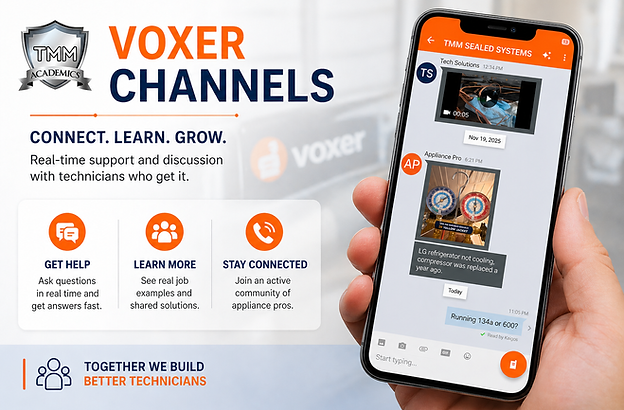
Voxer is one of the most valuable tools included with your TMM membership. It gives you direct access to real technicians, real problems, and real solutions—every day.
Instead of learning only from books or videos, Voxer connects you to a working network of professionals so you can continue learning while you’re in the field.
What is Voxer?
Voxer is a walkie-talkie style communication app that allows you to send voice messages, text, photos, and videos in real time.
Inside TMM Voxer channels, members ask questions, share job experiences, and help each other solve problems as they happen.
This is not just another app—it is a live learning environment where you can gain experience beyond the classroom.
How to Get Started
How to use Voxer?
-
Download the Voxer app from the App Store or Google Play
-
Create your account using your name
-
Once your membership is active, you will receive access to the TMM Voxer channels
-
Join the channels and introduce yourself
-
Turn notifications ON so you don’t miss important discussions
Access is provided after your membership is confirmed.
Android UsersScan to Download Android
1. Open the Google Play Store
2. Search Voxer Walkie Talkie Messenger
3. Tap Install
4. Create your account using your name
5. Turn notifications ON

iPhone / iPad UsersScan to Download
1. Open the App Store
2. Search Voxer Walkie Talkie Messenger
3. Tap Get
4. Create your account using your name
5. Turn notifications ON

Channels You’ll Access
-
Appliance Repair
-
Laundry (Washers & Dryers)
-
Refrigeration (Sealed Systems)
-
Electrical & Board Repair
-
Professional Development
Why Voxer is Valuable
-
Get help in real time while you’re on a job
-
Learn from actual service calls happening every day
-
Stay connected with working technicians
-
Improve faster through real-world experience
Get Started
Once your membership is active, you’ll receive access to Voxer and can begin immediately.
Download the app now so you’re ready to connect and start learning from day one.
Quick Guidelines
-
Include model numbers when asking questions
-
Be respectful
-
Stay on topic
